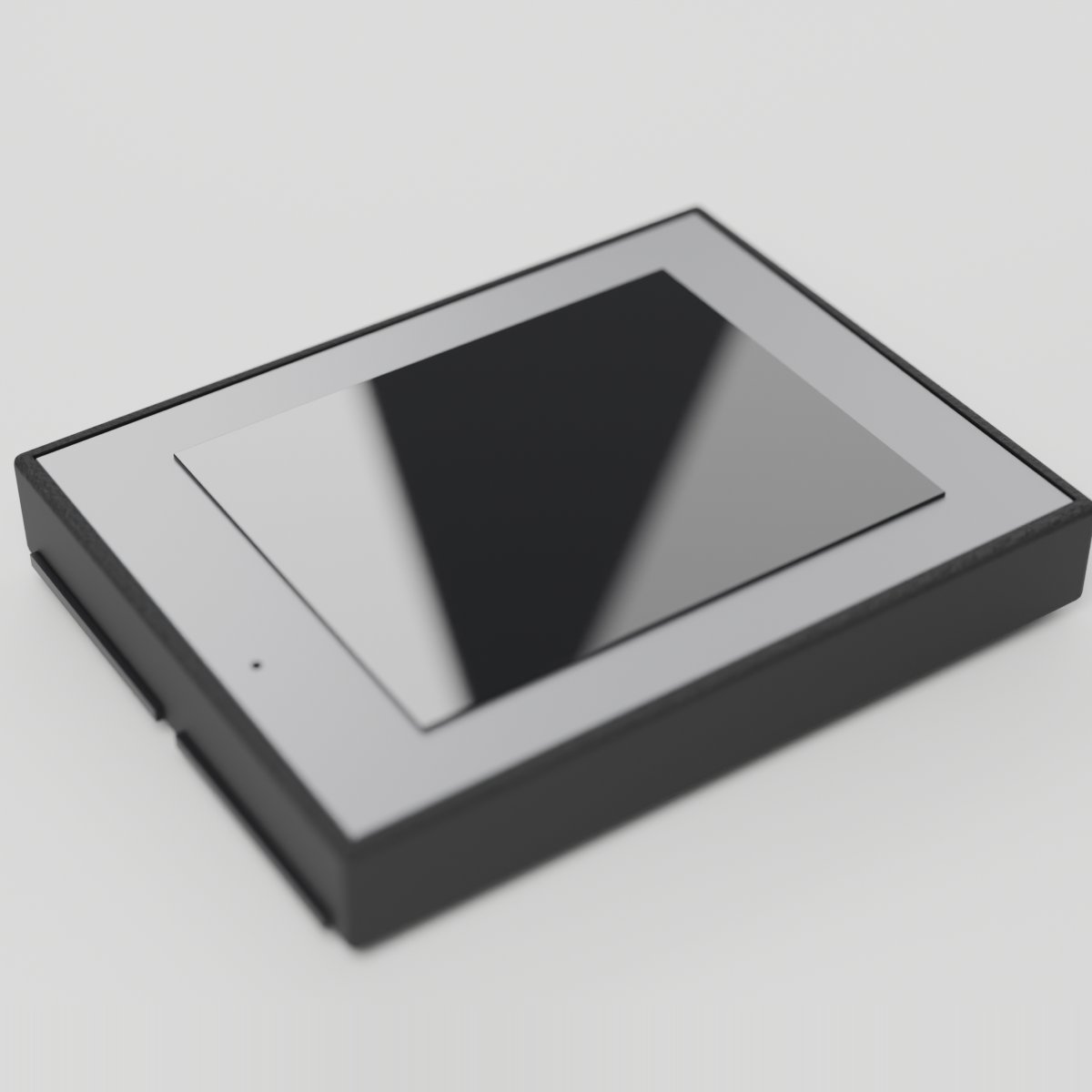
Big Screen
2.0" IPS color display with 320x240 resolution
A larger color display for dashboards, games, animations, and user interfaces. 2.0 inch IPS panel (ST7789) at 320x240 with 65K colors, driven over SPI at 40MHz for about 20 full frames per second. Uses the same drawing commands as the Screen, with four times the pixels. The panel overhangs the board edge, and the backlight is always on.
For ages 14 and up. Not a toy. Contains small parts: choking hazard. Keep away from children under 3. Adult supervision recommended.
Made by Atech ApS, Lille Strandstræde 6A, st. th., 1254 København K, Denmark.
Technical specifications
- Part
- ST7789 TFT Color Display (320x240)
- Interface
- Digital
- Ports
- 2 neighbouring ports
- Current
- ~40 mA
- Size
- 39.5 x 59.7 x 9.5 mm
Pins
- 3.3V (first port)
- supply
- GND (first port)
- ground
- Data A (first port)
- DC, data/command select (the panel's RS pin)
- Data B (first port)
- CS, chip select
- 3.3V (second port)
- supply
- GND (second port)
- ground
- Data A (second port)
- MOSI, data in
- Data B (second port)
- SCLK, serial clock
Key features
- 320x240 pixel resolution
- 2.0" IPS panel with wide viewing angles
- 65K color depth
- ST7789 driver, fast 40MHz SPI
Common applications
Technical
Big Screen
ST7789 TFT Color Display (320x240)
2.0 inch 320x240 IPS color display with ST7789 controller, SPI interface. Same wiring and same drawing API as the small Color Display, with four times the pixels. Double module spanning two adjacent ports: DC on Line A1, CS on Line B1, MOSI on Line A2, SCLK on Line B2. The panel overhangs the board edge. Backlight is always on.
display_textDisplay text at cursor position with configurable size and colorclear_displayClear the display to blackfill_screenFill entire screen with a colordraw_pixelDraw a single pixel at x,y with colordraw_lineDraw a line between two pointsdraw_rectDraw a rectangle outlinefill_rectDraw a filled rectangledraw_circleDraw a circle outlinefill_circleDraw a filled circledraw_round_rectDraw a rounded rectangle, outline or filleddraw_triangleDraw a triangle, outline or filleddraw_ellipseDraw an ellipse, outline or filled
BIG SCREEN (ST7789 320x240, landscape): SAME API AS THE SMALL COLOR DISPLAY, 4x THE PIXELS.

SIZE AND SPEED (big_screen.md):
- 320x240 pixels in landscape (x 0-319, y 0-239). Lay out for that, not for 160x80.
- display() in canvas mode pushes the whole frame in about 31 ms, so full redraws top
  out around 20-25 fps. Rate-limit redraws to 33-50 ms.
- Canvas mode needs a 150 KB framebuffer. If begin() cannot allocate it the driver runs
  in direct mode on its own; isDirectMode() tells you.

CHOOSING A MODE, by how much of the screen changes per frame:
- CANVAS MODE (default) whenever a frame repaints most of the screen: dashboards,
  readouts, and games that redraw a background every frame.
  Pattern: clear() -> draw everything -> display(). Flicker-free.
- DIRECT MODE (setDirectMode(true) once in setup) only for small sprites moving over a
  background that stays put: erase the old spot with a small fillRect, draw the new one.
  A full-screen fill in direct mode takes about 31 ms and shows on its own: never per frame.

SHAPES: drawRoundRect/fillRoundRect(x, y, w, h, radius, color),
drawTriangle/fillTriangle(x0, y0, x1, y1, x2, y2, color),
drawEllipse/fillEllipse(x, y, rx, ry, color), besides rect/circle/line/pixel.

TEXT:
- Coordinates are never arguments to print(). setCursor(x, y), then print(value);
  print(float, decimals) exists. displayText(text, x, y, size, color) does both.
- The default 5x7 font is tiny at 320x240. Use #include <Fonts/FreeSansBold12pt7b.h>
  (9/12/18/24 pt, FreeSans or FreeSansBold), setFont(&...), setTextSize(1). With a
  custom font Y is the BASELINE. textWidth(), lineHeight() and textBounds() measure text.
- Colors: ST7789_TFT::COLOR_BLACK, COLOR_WHITE, COLOR_RED, COLOR_GREEN, COLOR_BLUE,
  COLOR_CYAN, COLOR_MAGENTA, COLOR_YELLOW, COLOR_ORANGE, or raw RGB565.

ROTATION: 1 and 3 are landscape, 0 and 2 portrait (240x320). st7789_tft.h says begin()'s
3 is upright on the board's right-hand column and 1 on the left; studio has not measured
this panel, and nothing in studio's setup sets it for you. Changing between landscape and
portrait replaces the canvas, which clears it, so rotate first in setup.

SPI: the screen takes a hardware SPI host only if one is free; otherwise it bit-bangs
(same drawing, slower pushes). isSoftwareSpi() says which. With a microSD card or a
camera on the board, see their notes on atech::reserveSpiHosts().
No brightness control: the backlight is hard-wired on.
A text input labeled 'Display text' plus a Send button that dispatches a display-text action. Add 4-6 color preset chips that send a fill-screen action, and a 4:3 preview tile showing the last text that was sent.
| Pin | Line | Dir | Function |
|---|---|---|---|
| 1 | HV | – | not connected |
| 2 | 5V | – | not connected |
| 3 | 3.3V | input | supply |
| 4 | GND | – | ground |
| 5 | Data A | input | DC, data/command select (the panel's RS pin) |
| 6 | Data B | input | CS, chip select |
| Pin | Line | Dir | Function |
|---|---|---|---|
| 7 | HV | – | not connected |
| 8 | 5V | – | not connected |
| 9 | 3.3V | input | supply |
| 10 | GND | – | ground |
| 11 | Data A | input | MOSI, data in |
| 12 | Data B | input | SCLK, serial clock |
from p2p/ground_truth/hardware/prototyping_line/modules/big_screen.md
The doc for this module names no separate part. It is passive or discrete hardware, so there is no chip datasheet to read.