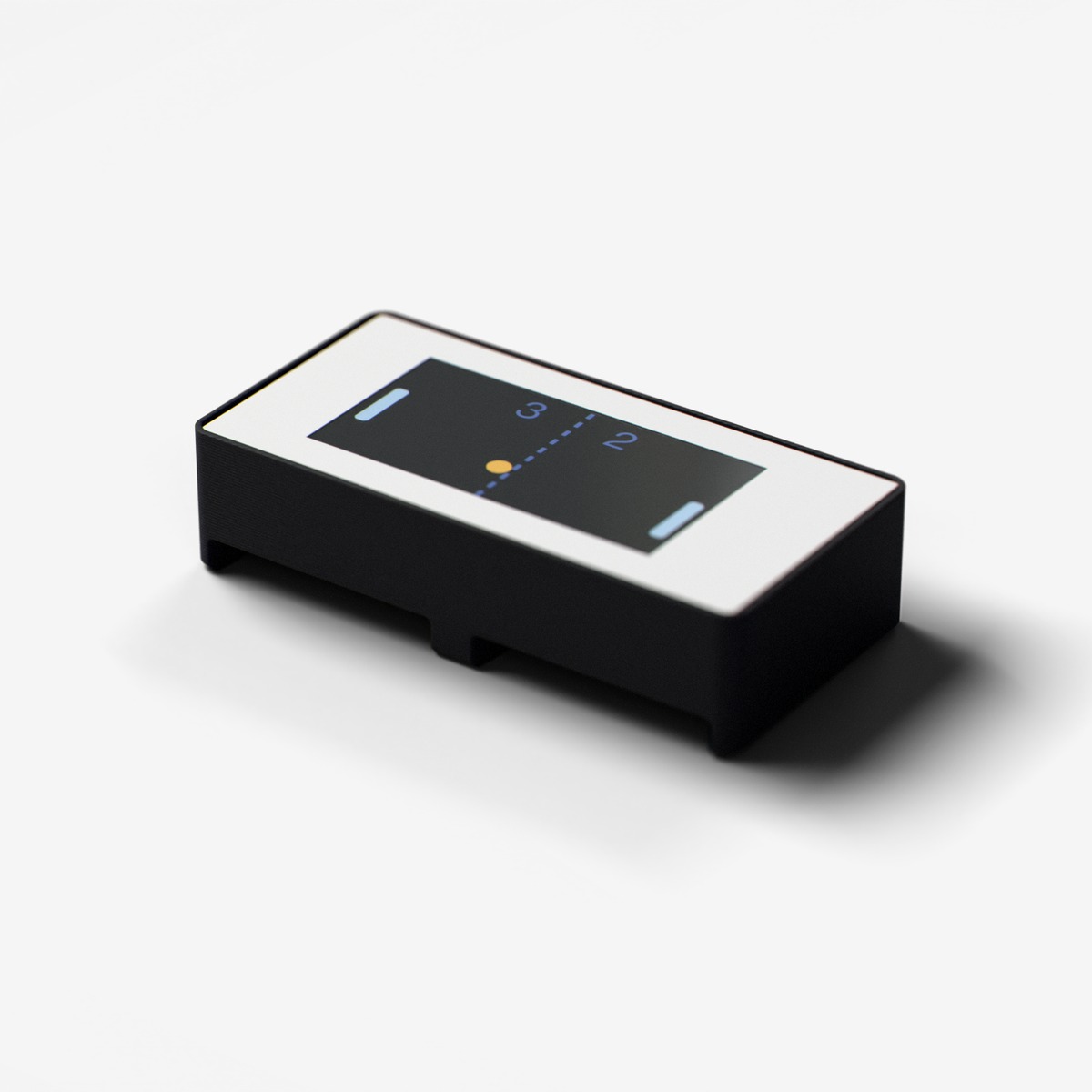
Screen
1.8" color display with 160x80 resolution
Vibrant color display for showing text, graphics, sensor readings, animations, game visuals, and user interfaces. 160x80 resolution with 65K colors.
For ages 14 and up. Not a toy. Contains small parts: choking hazard. Keep away from children under 3. Adult supervision recommended.
Made by Atech ApS, Lille Strandstræde 6A, st. th., 1254 København K, Denmark.
Technical specifications
- Part
- ST7735 TFT Color Display (160x80)
- Interface
- Digital
- Ports
- 2 neighbouring ports
- Current
- ~25 mA
- Size
- 39.5 x 19.5 x 9.6 mm
- Chip
- ST7735S (Sitronix)
Pins
- 3.3V (first port)
- supply
- GND (first port)
- ground
- Data A (first port)
- DC, data/command select
- Data B (first port)
- CS, chip select
- 3.3V (second port)
- supply
- GND (second port)
- ground
- Data A (second port)
- MOSI, data in
- Data B (second port)
- SCLK, serial clock
Key features
- 160x80 pixel resolution
- 65K color depth
- Fast SPI interface
Common applications
Technical
Color Display
ST7735 TFT Color Display (160x80)
160x80 pixel color TFT display with ST7735 controller, SPI interface. Double module spanning two adjacent ports: DC on Line A1, CS on Line B1, MOSI on Line A2, SCLK on Line B2. Supports 65K colors (RGB565), text, shapes, and fast 40MHz SPI.
display_textDisplay text at cursor position with configurable size and colorclear_displayClear the display to blackfill_screenFill entire screen with a colordraw_pixelDraw a single pixel at x,y with colordraw_lineDraw a line between two pointsdraw_rectDraw a rectangle outlinefill_rectDraw a filled rectangledraw_circleDraw a circle outlinefill_circleDraw a filled circle
TFT COLOR DISPLAY (ST7735 160x80): TWO DRAWING MODES:

CHOOSING A MODE:
- DIRECT MODE for games, animations, or anything with moving objects.
  Call setDirectMode(true) once in setup. Draws go straight to the screen.
- CANVAS MODE (default) for static dashboards, sensor readouts, or full-screen redraws.
  Pattern: clear() → draw everything → display(). Flicker-free.

DIRECT MODE RULES (CRITICAL: violating these causes flashing/slowness):
  1. Call setDirectMode(true) and fillScreen() ONCE in setup.
  2. NEVER call fillScreen(), clear(), or display() in the game loop. These redraw the ENTIRE screen and cause visible flashing.
  3. To move an object: erase its OLD position with a small fillRect (background color), then draw at the NEW position.
  4. For text that changes (score): erase the old text area with a small fillRect, then redraw the text.
  5. For static elements (ground line): draw once in setup or when entering a state, NOT every frame.
  6. When switching screens (title→playing, playing→gameover): call fillScreen() ONCE to clear, then draw the new screen.

DIRECT MODE EXAMPLE (game loop):
  // Save old positions BEFORE updating physics
  int oldDinoY = dinoY;
  int oldObsX = obsX;
  // Update physics...
  dinoY += velocity;
  obsX -= speed;
  // Erase old positions with small rects (NOT fillScreen!)
  fillRect(dinoX, oldDinoY, dinoW, dinoH, BG_COLOR);
  fillRect(oldObsX, obsTop, obsW, obsH, BG_COLOR);
  // Draw at new positions
  fillRect(dinoX, dinoY, dinoW, dinoH, DINO_COLOR);
  fillRect(obsX, obsTop, obsW, obsH, OBS_COLOR);

CANVAS MODE PATTERN (dashboards/UIs):
  // In loop: clear() → draw everything → display().

GENERAL RULES:
- print() takes ONE argument only. NEVER pass coordinates to print().
- To print at a position: setCursor(x, y) THEN print(value). Two separate calls.
- Or use displayText(text, x, y, size, color) for positioned text in one call.
- Available colors: ST7735_BLACK, ST7735_WHITE, ST7735_RED, ST7735_GREEN, ST7735_BLUE, ST7735_YELLOW, ST7735_CYAN, ST7735_MAGENTA, ST7735_ORANGE.
- Screen is 160x80 pixels.
- SMOOTH FONTS: For text larger than size 1, ALWAYS use smooth FreeType fonts instead of setTextSize().
  setTextSize(2+) scales the tiny 5x7 bitmap and looks blocky. Smooth fonts look much better.
  Usage: #include <Fonts/FreeSansBold12pt7b.h>, then setFont(&FreeSansBold12pt7b) before printing.
  After setFont(), always use setTextSize(1); the font itself defines the size.
  IMPORTANT: With custom fonts, Y coordinate is the text BASELINE, not top-left. Add font height to Y.
  Available smooth fonts: FreeSans9pt7b, FreeSans12pt7b, FreeSansBold9pt7b, FreeSansBold12pt7b, FreeSansBold18pt7b, FreeSansBold24pt7b.
  To return to the small default font: setFont(NULL) then setTextSize(1).
  Example for big text: setFont(&FreeSansBold12pt7b); setTextSize(1); setCursor(10, 30); print("Hello");
displayText() uses setTextSize() internally so AVOID it for large text. Use setFont + setCursor + print instead.A text input labeled 'Display text' plus a Send button that dispatches a display-text action. Add 4-6 color preset chips that send a foreground-color action, and a small preview tile showing the last text that was sent.
| Pin | Line | Dir | Function |
|---|---|---|---|
| 1 | HV | – | not connected |
| 2 | 5V | – | not connected |
| 3 | 3.3V | input | supply |
| 4 | GND | – | ground |
| 5 | Data A | input | DC, data/command select |
| 6 | Data B | input | CS, chip select |
| Pin | Line | Dir | Function |
|---|---|---|---|
| 7 | HV | – | not connected |
| 8 | 5V | – | not connected |
| 9 | 3.3V | input | supply |
| 10 | GND | – | ground |
| 11 | Data A | input | MOSI, data in |
| 12 | Data B | input | SCLK, serial clock |
from p2p/ground_truth/hardware/prototyping_line/modules/screen.md
assembly->controller: N096-1608T is the panel assembly's ordering code; ST7735S is the controller inside it