Build
Drum sequencer
A drum sequencer out of modules.
These parts on their own: $199.
- 14-Port Motherboard×1
- USB-C×1
- Light Grid×4
- Button×3
- Knob×1
- Speaker×1
Smart Home · Wi-Fi · Bluetooth
What it does
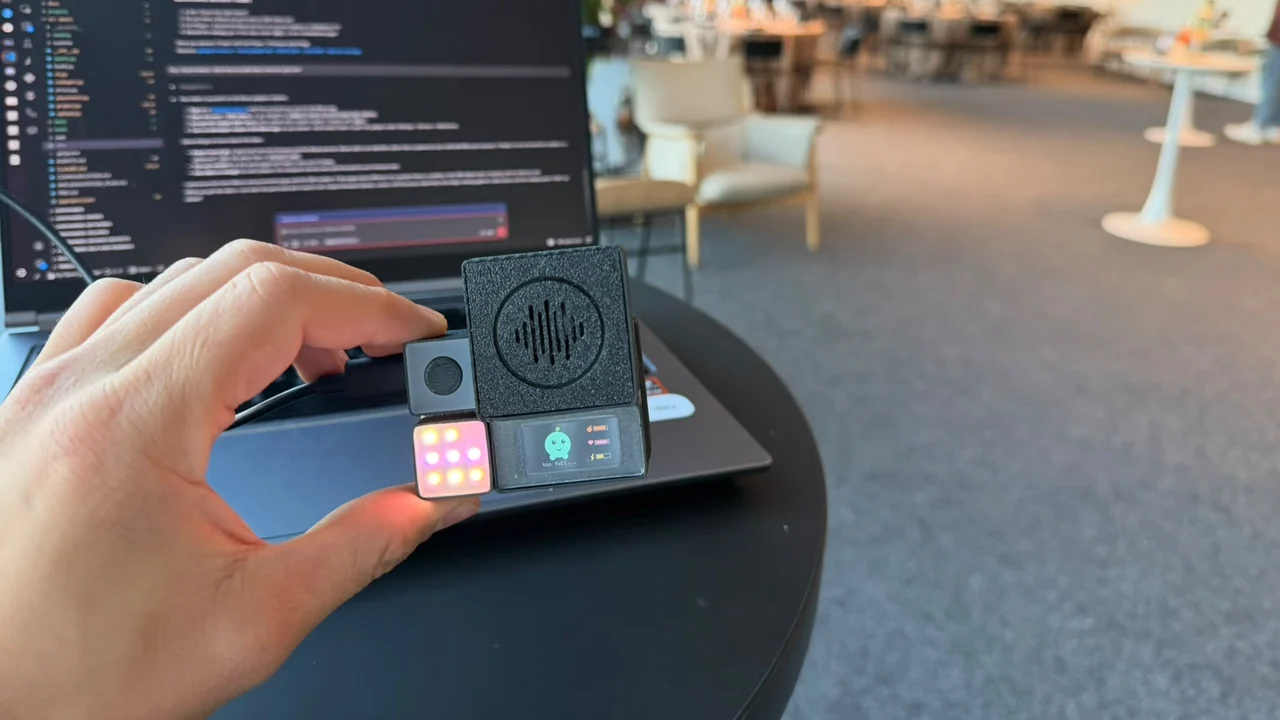
- 1Four light grids are four drums: kick, snare, hi-hat and clap. The eight lights round the edge of each grid are the eight steps of the bar, and a white dot runs round them in time.
- 2Pick a drum with the first button. Tap the second button on the beat to put a hit on that step, tap it again to take it away. The third button starts and stops. Turn the knob for the tempo.
- 3The speaker makes the drum sounds itself. It comes with a beat already in, so it plays the moment you power it up.
How to build it
- 1Slide the light grid into port 1.
- 2Slide the light grid into port 2.
- 3Slide the light grid into port 3.
- 4Slide the light grid into port 4.
- 5Slide the button into port 5.
- 6Slide the button into port 6.
- 7Slide the knob into ports 9 and 10.
- 8Slide the button into port 11.
- 9Slide the speaker into ports 13 and 14.
- 10Slide the USB-C into port 8 and plug the cable into your computer.
- 11Plug it in and press Upload to board.
Uploading works from Chrome or Edge on a computer. Open this page there with the board plugged in.
On the board
- 1Light GridKick
- 2Light GridSnare
- 3Light GridHi-hat
- 4Light GridClap
- 5ButtonNext drum
- 6ButtonTap: a hit on this step · hold: clear the drum
- 9+10KnobTempo, 60 to 200
- 11ButtonPlay / stop · hold: clear everything
- 13+14SpeakerThe drums
- 8USB-CPower and programming
The code
drums.cpp · 176 linesDownload
// Drum sequencer — 14-port board, four Light Grids (kick · snare · hi-hat · clap), three Buttons, Knob, Speaker.
// Each grid is one drum: the eight outer LEDs are the eight steps (clockwise from top-left), the white dot is the playhead,
// the centre lights when that drum is selected. Button 5 = next drum · button 6 = tap a hit on the beat (again = remove,
// hold 1 s = clear the drum) · button 11 = play / stop (hold 1 s = clear everything) · knob = tempo 60–200 BPM.
#include <Arduino.h>
#include <math.h>
#include "modules/led/neopixel.h"
#include "modules/input/button.h"
#include "modules/input/rotary_encoder.h"
#include "modules/audio/speaker.h"

NeoPixelGrid  grids[4] = { NeoPixelGrid(G0A, G0B), NeoPixelGrid(G1A, G1B), NeoPixelGrid(G2A, G2B), NeoPixelGrid(G3A, G3B) };
ButtonModule  drumBtn(BTN_DRUM), tapBtn(BTN_TAP), playBtn(BTN_PLAY);
RotaryEncoder knob(KNOB_CLK, KNOB_DT, KNOB_SW, KNOB_RING);
Speaker       speaker(SPK_BCLK, SPK_LRCLK, SPK_DIN);

static const int STEPS = 8, DRUMS = 4, SAMPLE_RATE = 32000, HOLD_MS = 1000, BPM_MIN = 60, BPM_MAX = 200;
// The speaker driver's I2S DMA buffer (8 x 256 frames) is kept full, so a sound comes out this much after we render it.
// The playhead LED and the tap quantisation are shifted by the same amount so what you see and tap matches what you hear.
static const int LATENCY_MS = 8 * 256 * 1000 / SAMPLE_RATE;   // 64 ms at 32 kHz

const uint8_t COLOR[DRUMS][3] = { { 255, 30, 20 }, { 40, 90, 255 }, { 255, 200, 20 }, { 30, 220, 60 } };   // kick red · snare blue · hi-hat yellow · clap green
const char*   NAME[DRUMS]     = { "kick", "snare", "hi-hat", "clap" };
const uint8_t RING[STEPS]     = { 0, 1, 2, 5, 8, 7, 6, 3 };   // outer LEDs clockwise from top-left (index = row * 3 + col); 4 = centre
…